My waybills and the PDF
1 min readWaybillsEN · LV · RU
In short
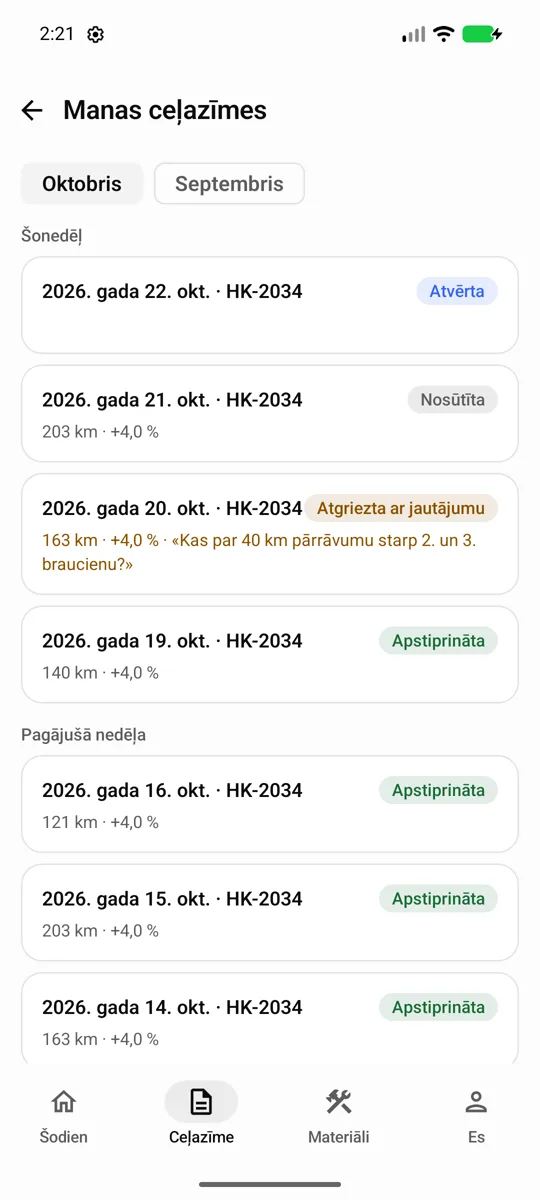
All your waybills are in «Me › My waybills» (in the cabinet, «History»).
Each has a status: sent, returned or approved.
Open a waybill and tap «PDF» to download it.
The list
Waybills are grouped by week: this week, last week, earlier. At the top is the month's total: km and private km.
One waybill
Open a waybill. You see the start and end, trips, refuels, fuel by the norm and actual, photos and the note. A sent waybill is read-only.
Tap Waybill PDF. It is the same document the office sees, with your signature.
In the cabinet
History shows the days of the month: trips, km, time and status. Switch months at the top.
Did the article help?