Fuel: refuel and receipt
1 min readWaybillsEN · LV · RU
In short
After refuelling tap «Add fuel» and photograph the receipt.
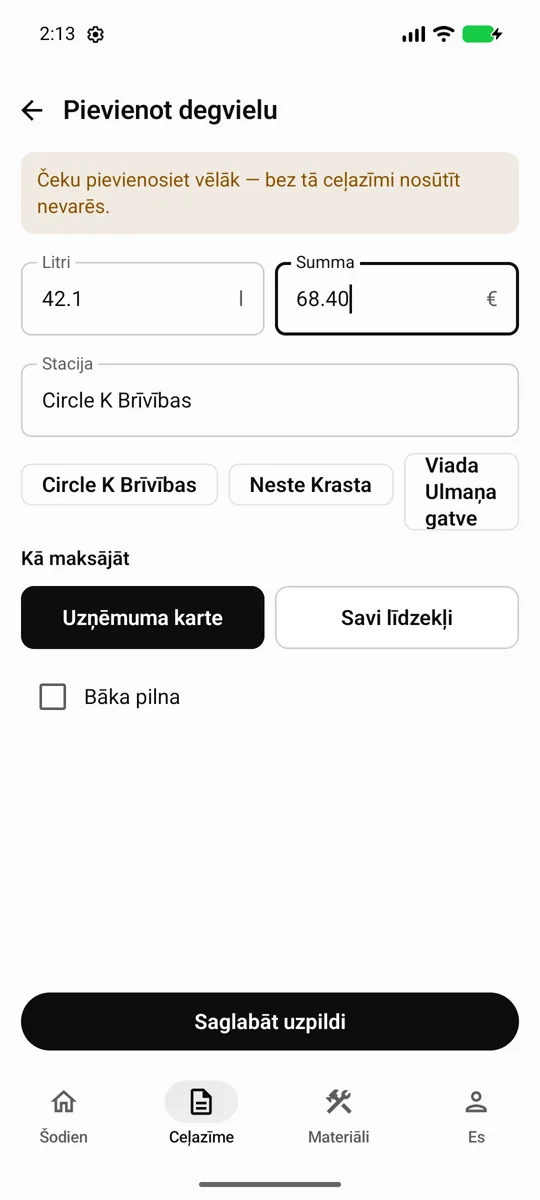
Type the litres and the amount from the receipt, choose how you paid.
No receipt at hand? Enter it now and add the receipt by the evening.
Add a refuel
- Tap Add fuel.
- Photograph the receipt: the whole receipt in the frame, no shadow.
- Type the litres, amount and station from the receipt.
- How you paid: company card or own money.
- If you filled the tank, mark Full tank.
- Tap Save refuel.
Own money
If you paid yourself, choose Own money. The refuel becomes an expense to reimburse; the receipt is attached by itself.
If the company requires a receipt
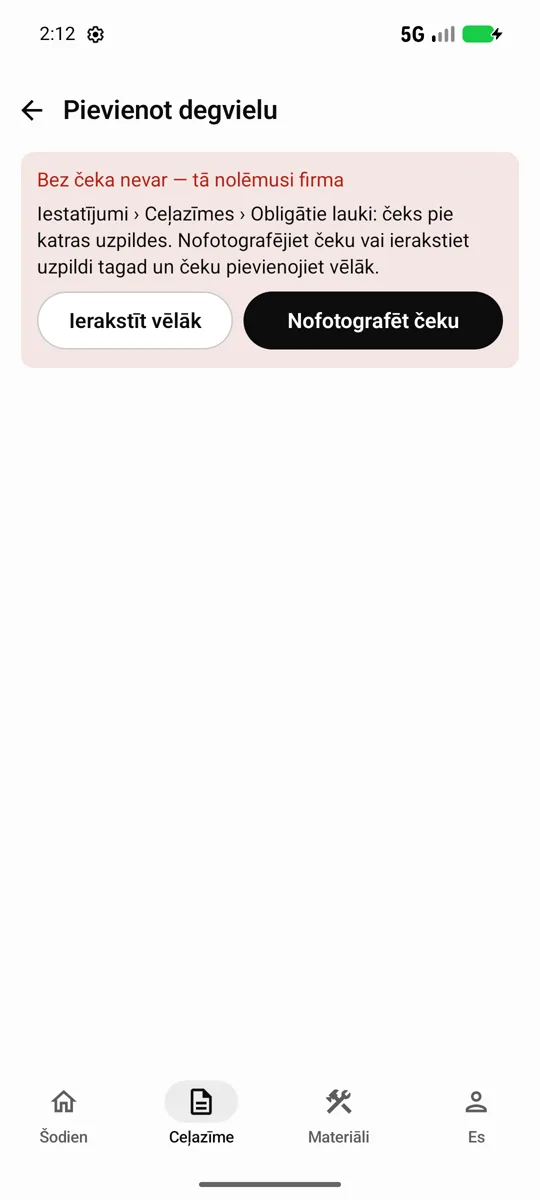
Without a receipt the waybill cannot be sent, because the company decided so (Settings › Waybills). Tap Enter later and add the receipt by the evening.
Did the article help?