Start the day: car and odometer photo
1 min readWaybillsEN · LV · RU
In short
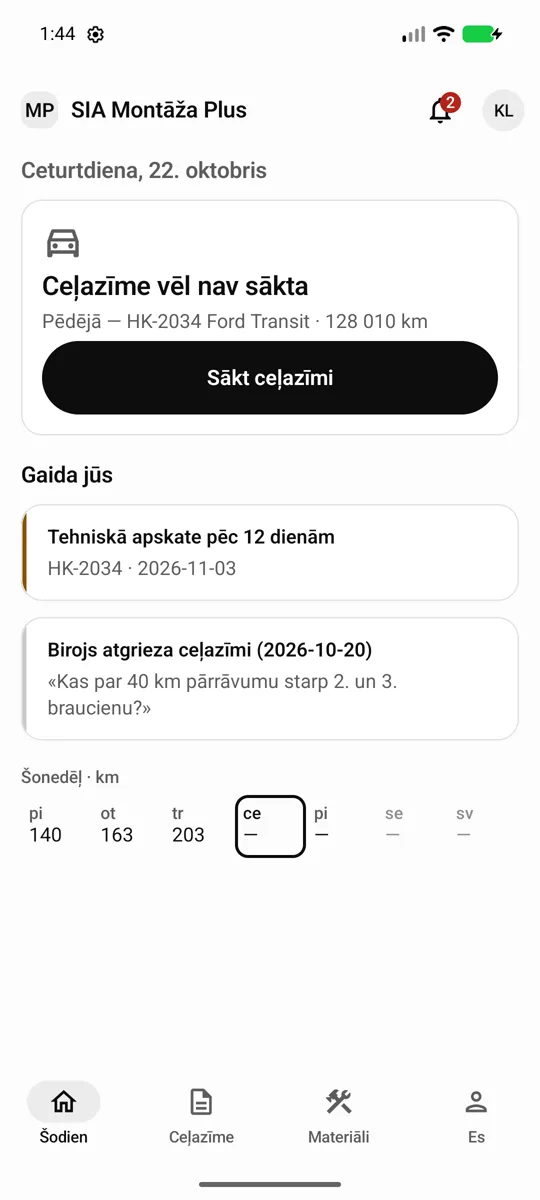
Open «Today» and tap «Start waybill».
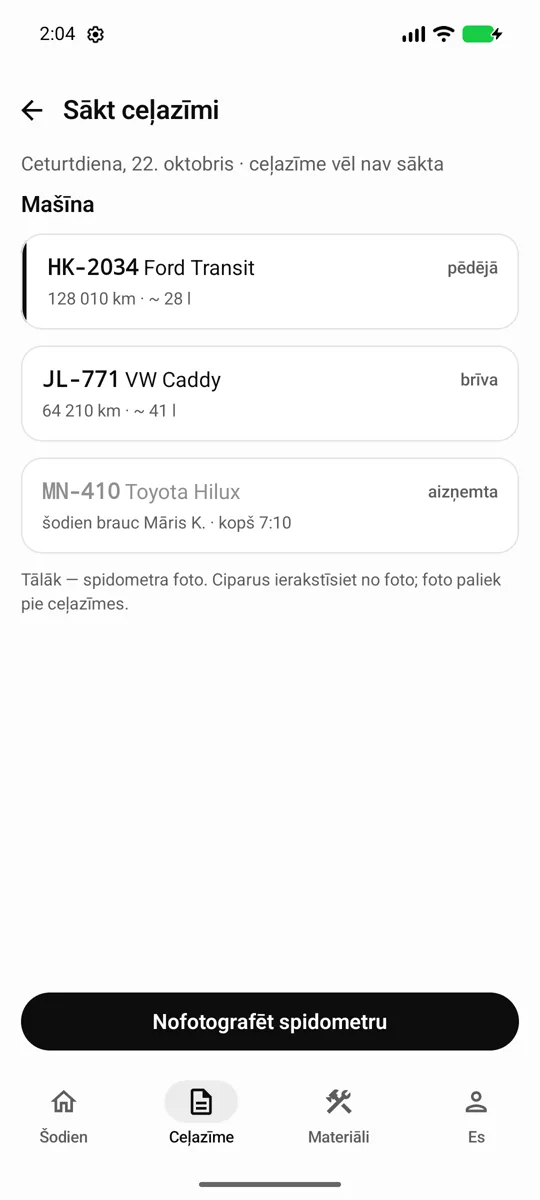
Pick the car: your last one is already first in the list.
Photograph the odometer and check the digits.
On the phone
- Open the app. On the Today tab tap Start waybill.
- Pick the car. A busy car shows who is driving it today.
- Photograph the odometer: digits in the frame, light on them.
- Type the reading from the photo. If it matches last evening, you will see «Matches».
- Mark how much fuel is in the tank (¼, ½, ¾ or litres) and tap Start waybill.
In the cabinet
- Open Today and press Start day.
- The car and its last odometer are already filled in, so check them.
- Add the odometer photo and press Start.
If the reading is lower than yesterday
An odometer only grows. Check the digits (3 ↔ 5 ↔ 8) or take the photo again. If yesterday's figure was wrong, start anyway: the office will see it and correct it with a note.
If the car is busy
One car has one open waybill at a time. Take another car or ask your colleague to finish their waybill. The office can close it.
Did the article help?